Draft Documentation
This page is currently under development. Content may be incomplete or subject to change.
Design Review Workflow#
SysGit's design review capabilities leverage the proven Git provider infrastructure to enable collaborative review, approval, and integration of system model changes. By building on top of GitLab, GitHub, or other Git providers, SysGit inherits enterprise-grade access controls, audit trails, and workflow automation while adding semantic visualization and comparison capabilities specific to SysML v2 models.
This workflow demonstrates how teams create feature branches, make model changes, visualize differences, create merge requests, and integrate approved changes back into the baseline—all while maintaining full traceability and compliance with organizational review processes.
Understanding the Design Review Process#
Design reviews in SysGit follow the Git branching model familiar to software development teams. Engineers work on isolated feature branches where they can make and test changes without affecting the main baseline. Once changes are ready, they create a merge request (also called a pull request) that triggers the formal review process.
The key advantage of this approach is that it separates experimental or in-progress work from the verified baseline, while still maintaining complete visibility and traceability. Reviewers can examine exactly what changed, discuss specific modifications, and either approve or request revisions before any changes reach the production baseline.
Creating a Feature Branch#
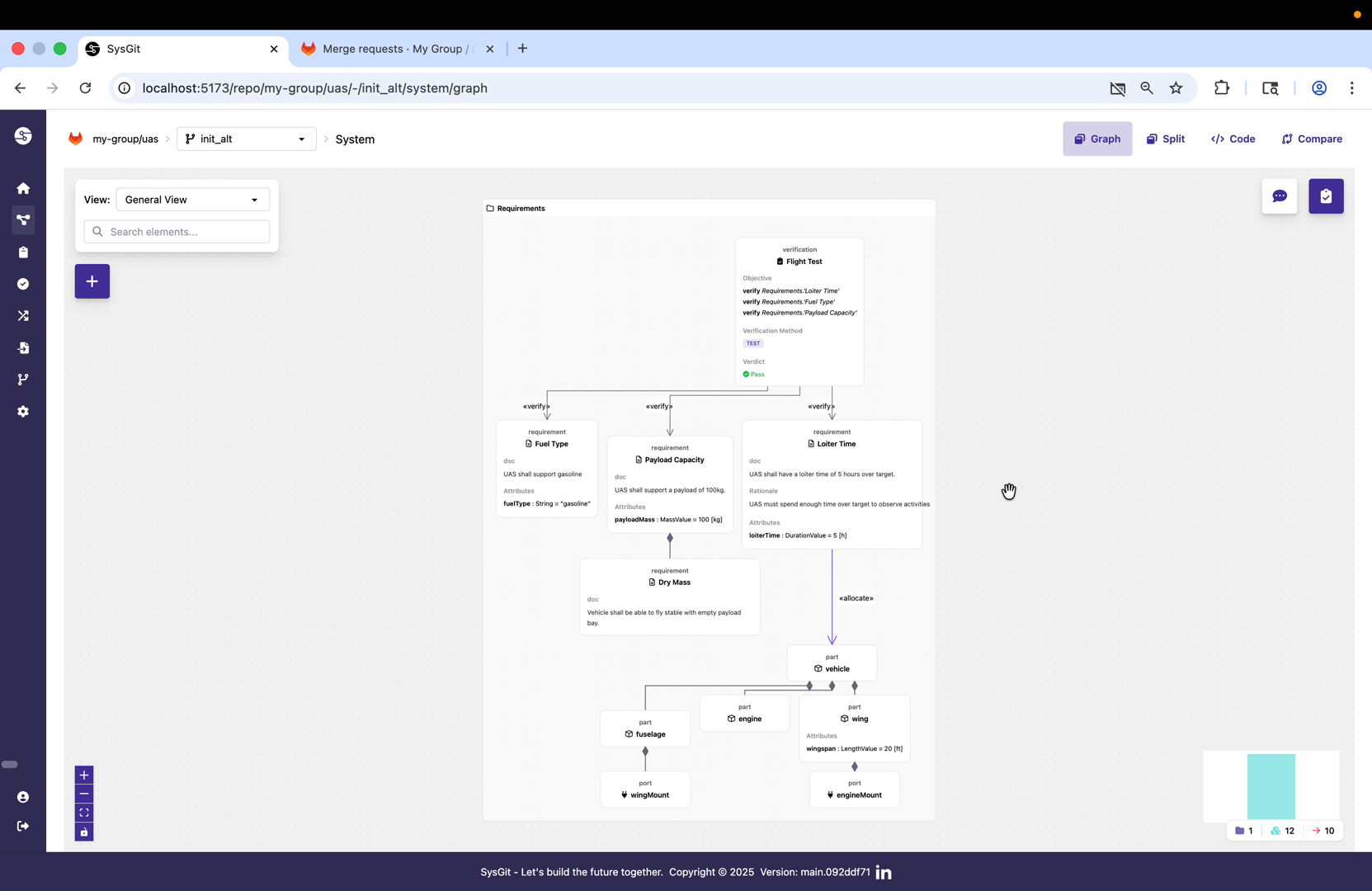
The design review process begins by creating a new feature branch. In the SysGit interface, the branch selector at the top of the screen shows the current branch (in this case "alt"). Creating a new branch from this point establishes a divergent timeline where changes can be made independently.
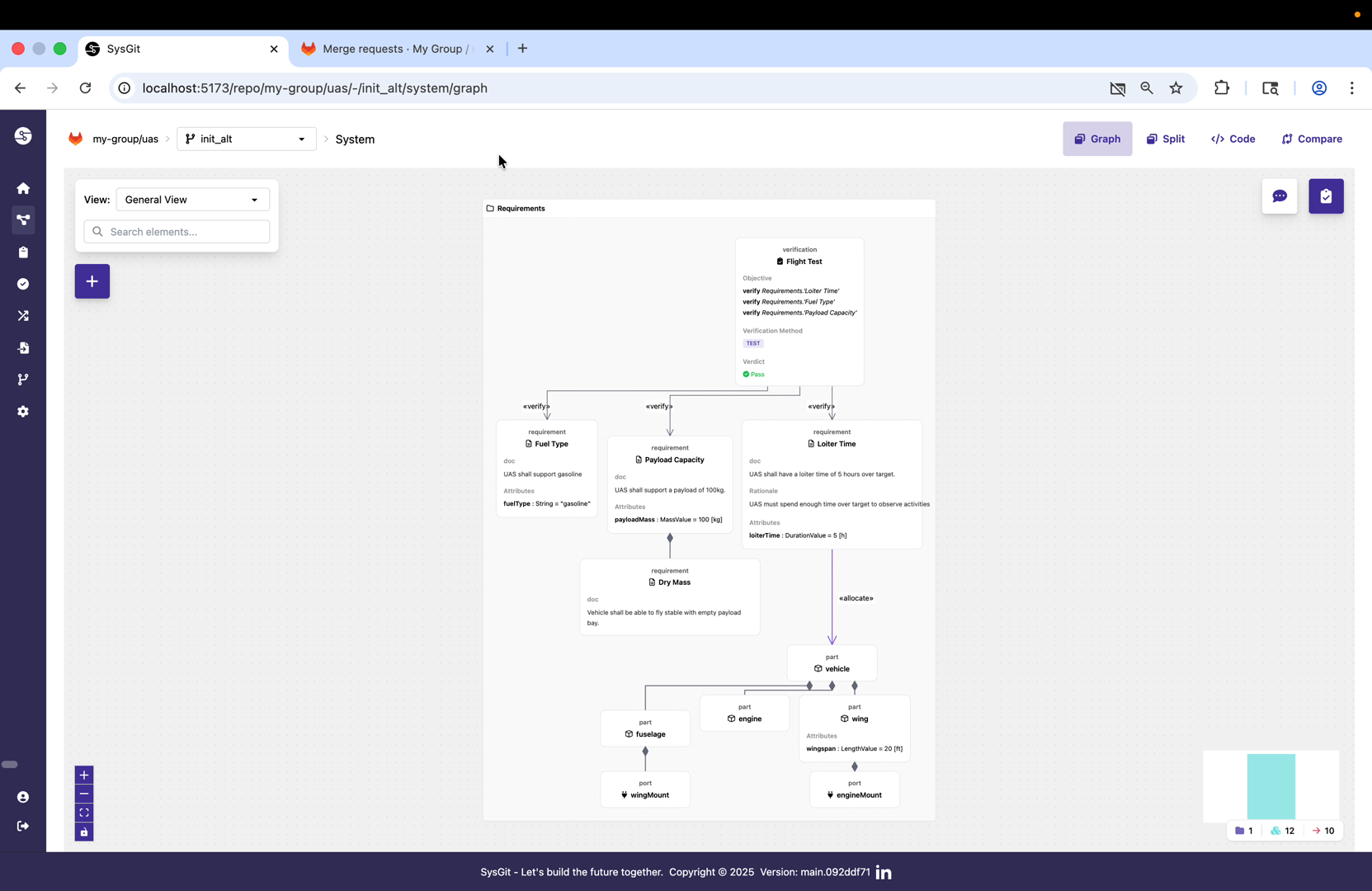
To create the branch, open the branch selector and choose "Create new branch." The interface prompts for a branch name that describes the intended changes. In this example, the branch is named "updated-fuel" to indicate that modifications will focus on fuel system requirements.
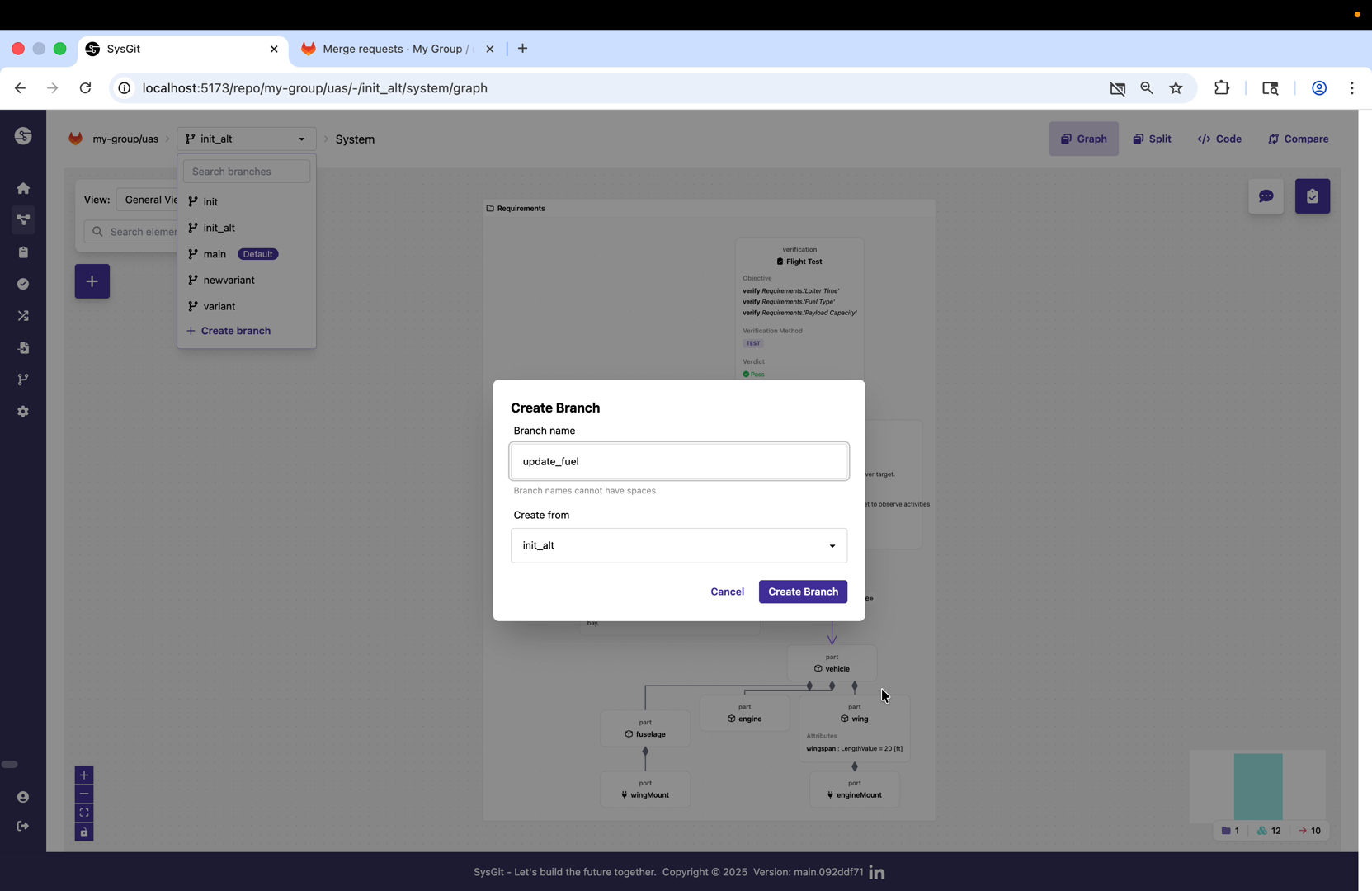
Once created, the branch selector confirms that "updated-fuel" is now the active branch. Any changes made from this point forward will be isolated to this branch until explicitly merged back to the source branch. This isolation protects the baseline from incomplete or experimental changes while still preserving full version history.
The branch creation operation happens entirely within the underlying Git provider, so all the standard Git operations like branch protection rules, required reviewers, and CI/CD pipeline triggers apply automatically.
Making Model Changes#
With the feature branch active, engineers can now make changes to the system model. These changes are tracked at the semantic level, not just as text edits, which enables SysGit to provide meaningful comparison and validation capabilities.
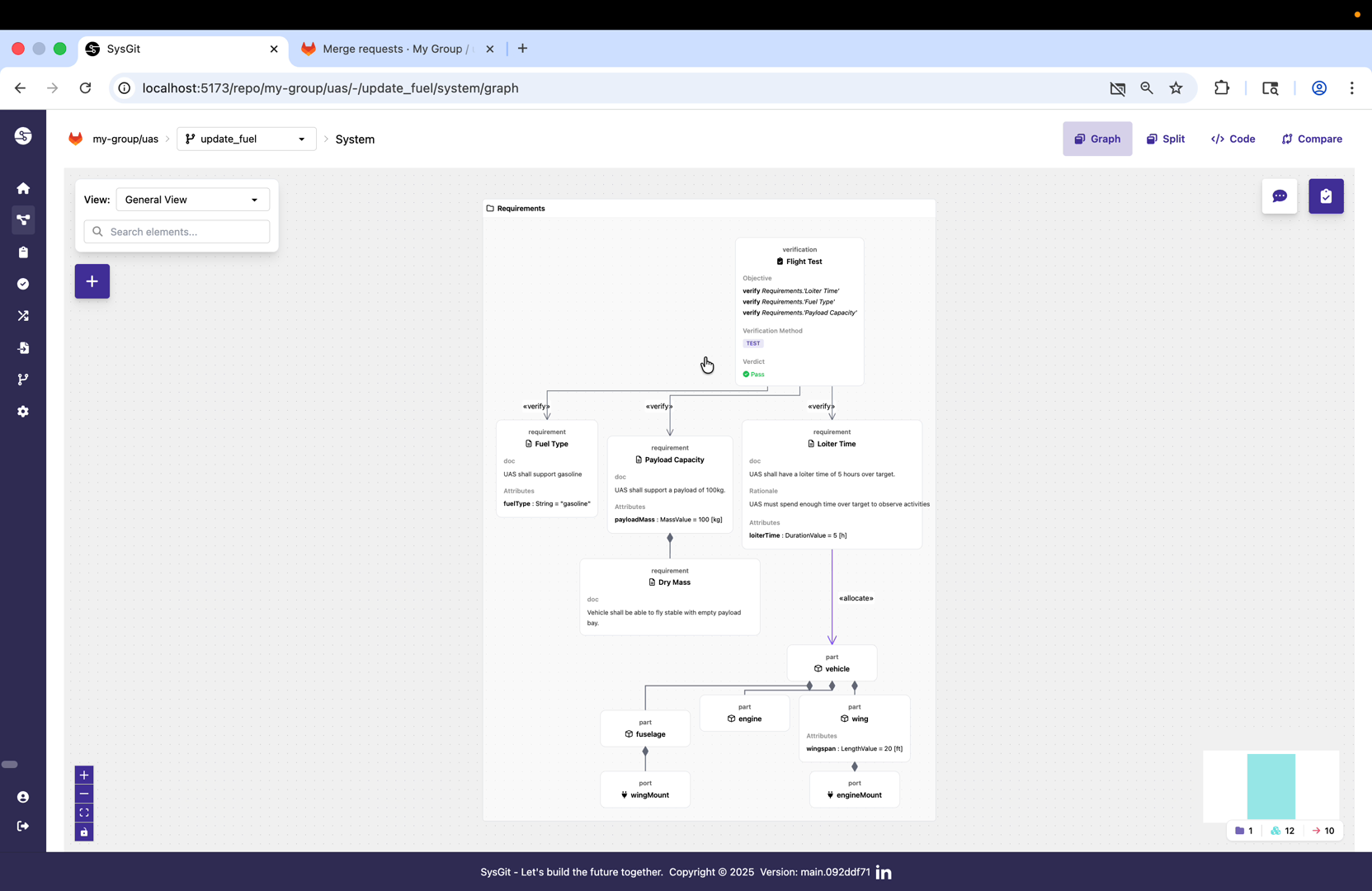
The demonstration shows navigation to the fuel system requirements using SysGit's graph view. The graph view provides spatial context for understanding how elements relate to each other in the system architecture. Here we can see the "Fuel Type" requirement and its relationships within the broader requirements structure.
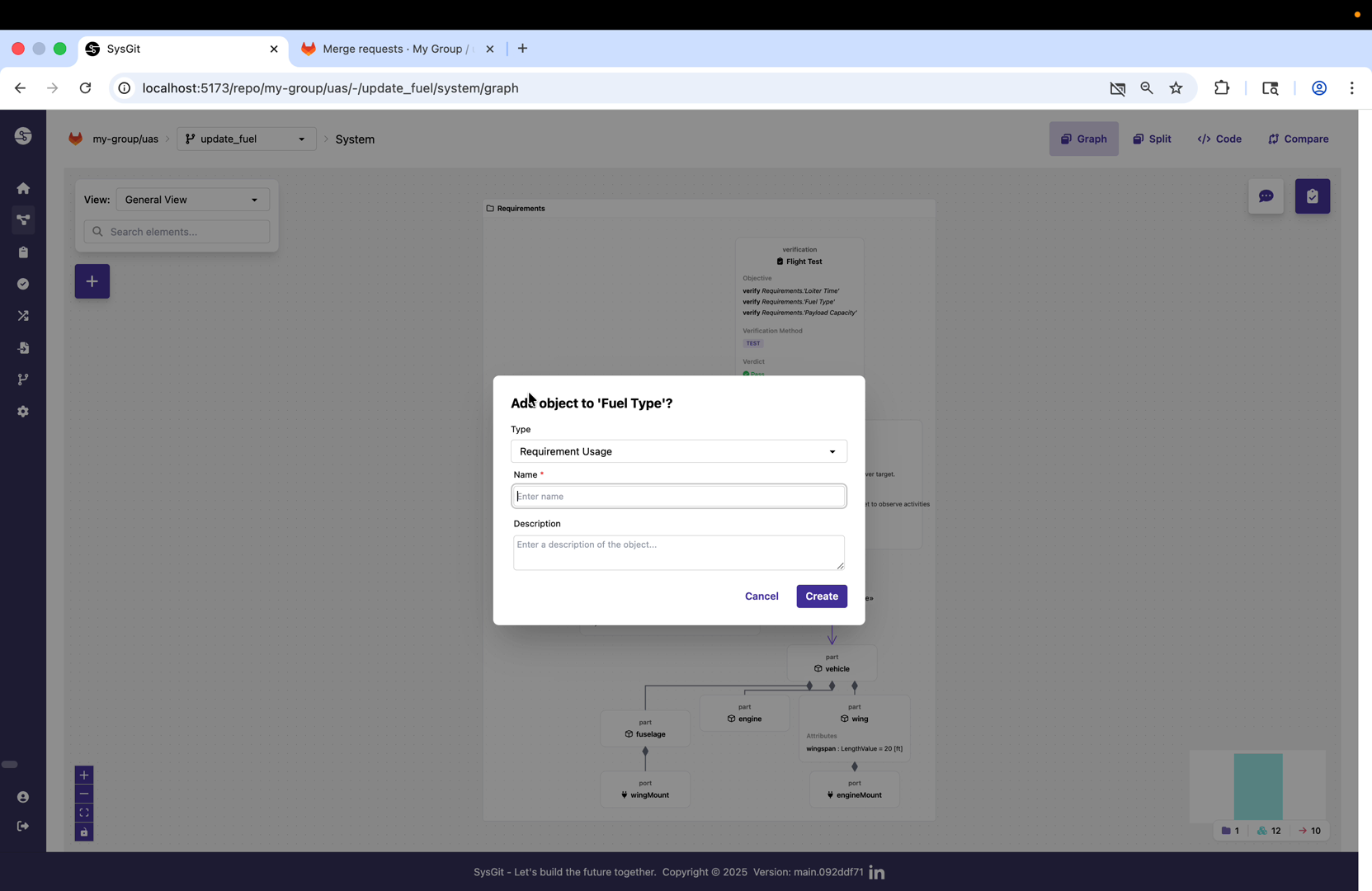
To add a new requirement, right-click on the parent requirement (Fuel Type) and select "Add object to Fuel Type." This creates a new child requirement that inherits the organizational context of its parent. The interface switches to editing mode where the requirement's properties can be defined.
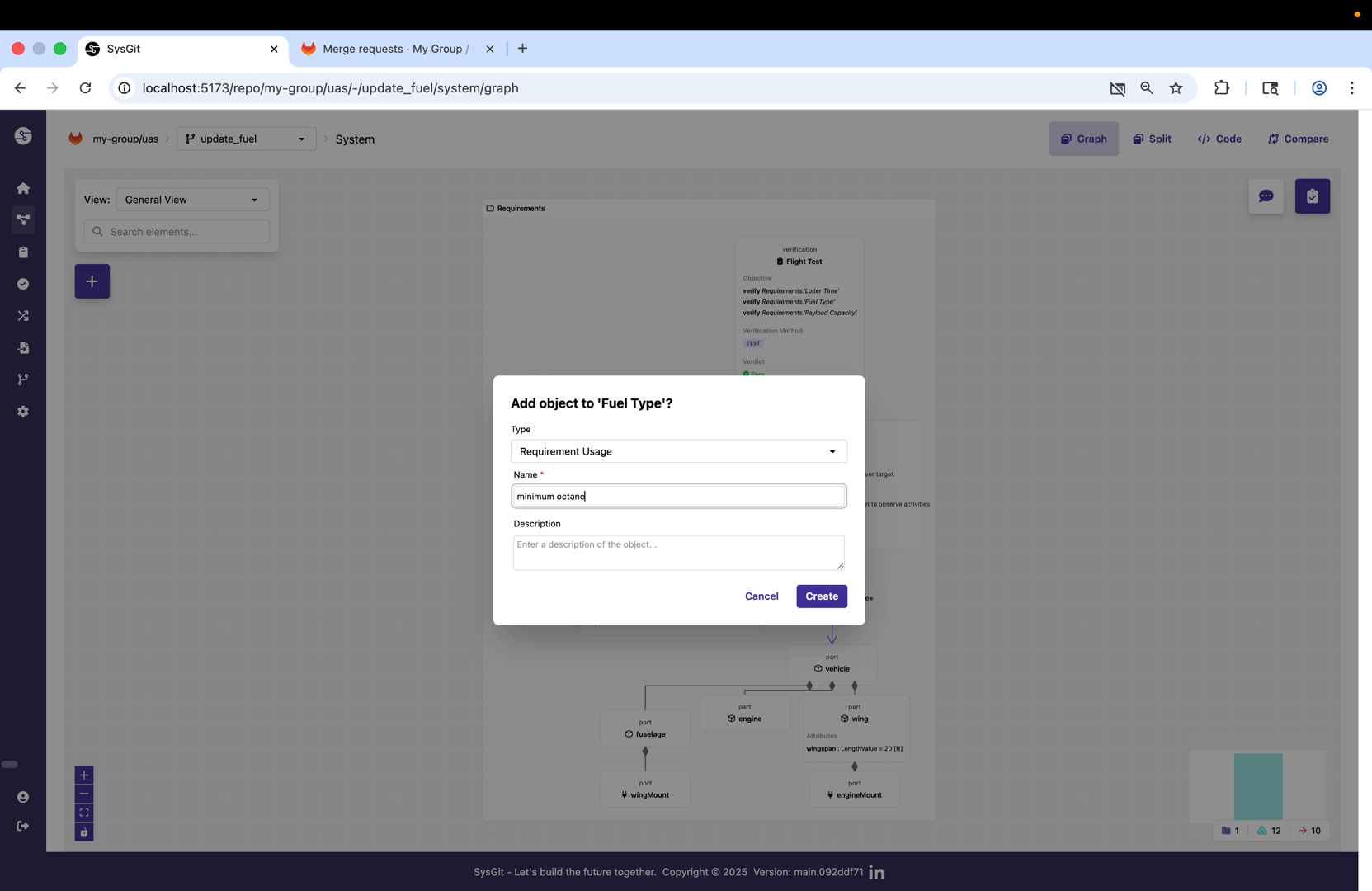
The new requirement needs a unique identifier (short name) and descriptive content. In this case, the requirement is given the short name "minimum-octane" to clearly indicate its purpose. Following SysML v2 conventions, this short name will be used for programmatic references while a more descriptive declared name provides human-readable context.
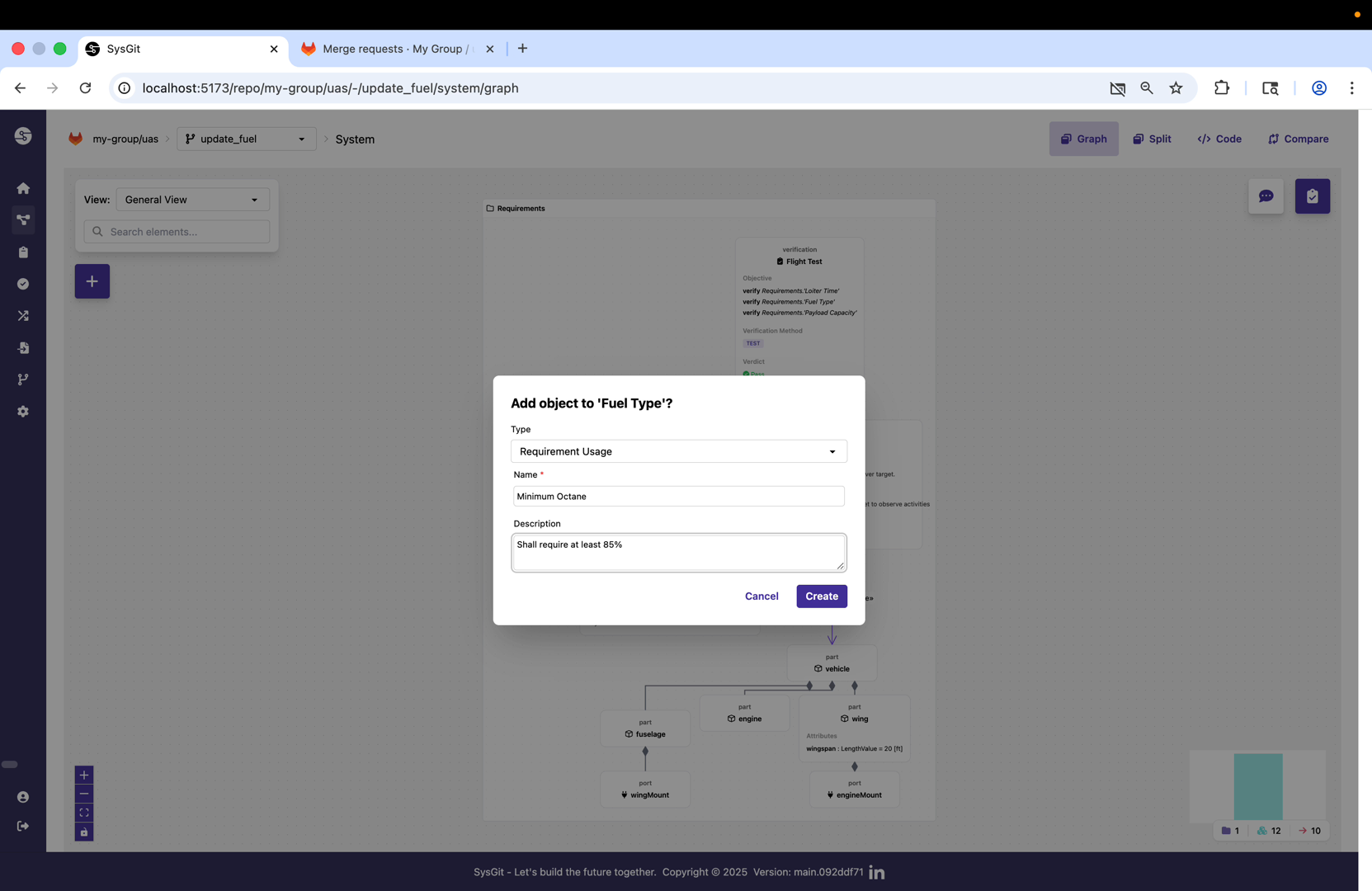
The requirement text follows standard requirements engineering practice with a clear "shall" statement: "shall require at least 85% octane." This declarative format makes requirements verifiable and unambiguous. The text is entered in the requirement's documentation field, which is the primary location for requirement content in SysML v2.
Adding System Components#
Beyond requirements, the design change also includes modifications to the system architecture itself. SysGit supports editing multiple aspects of the model within a single feature branch, ensuring all related changes are reviewed and integrated together.
The interface can switch between different view modes to support various modeling activities. Here the split view is activated, showing both graphical and tabular representations simultaneously. This is particularly useful when working with part definitions and their relationships.
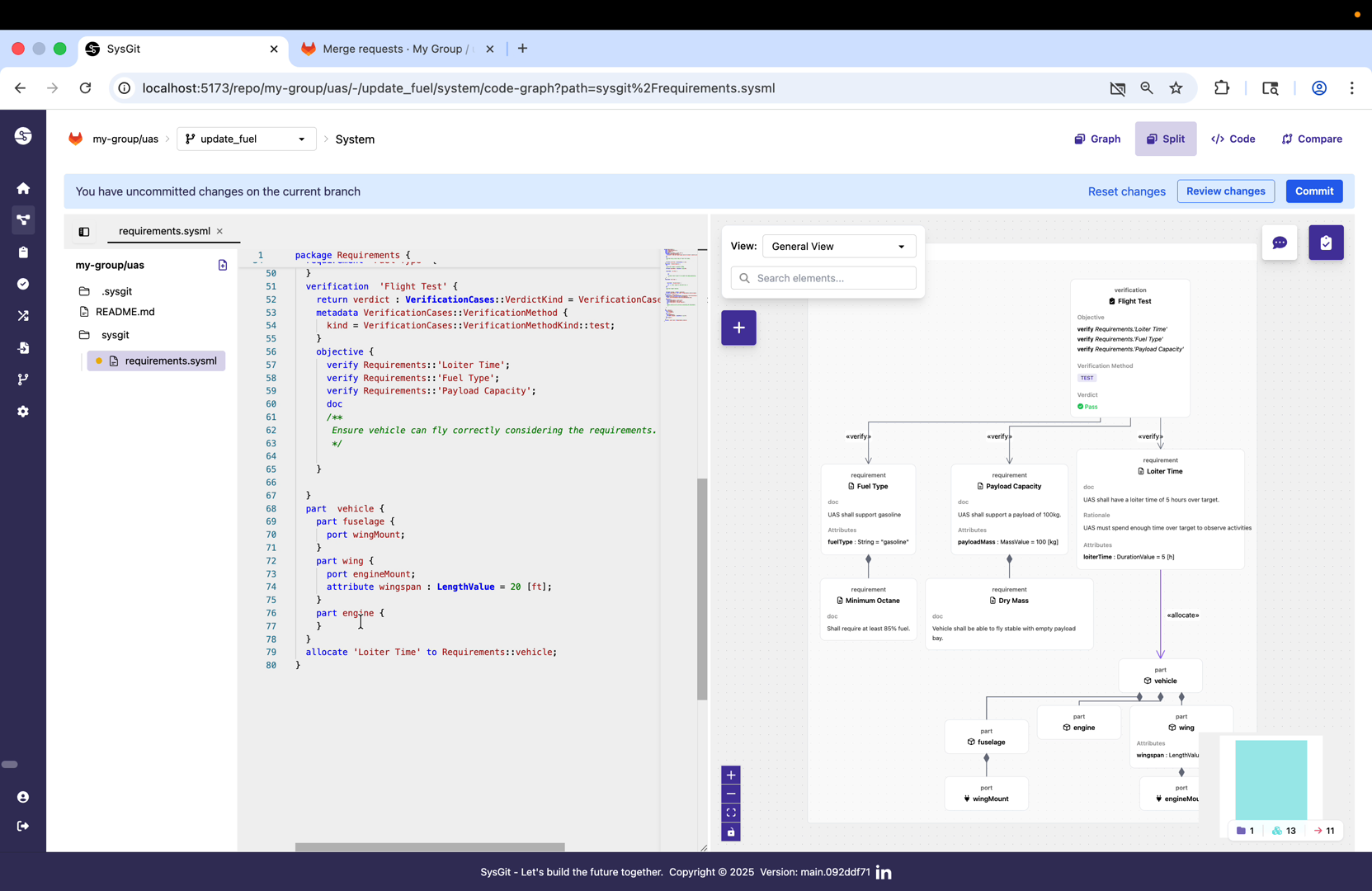
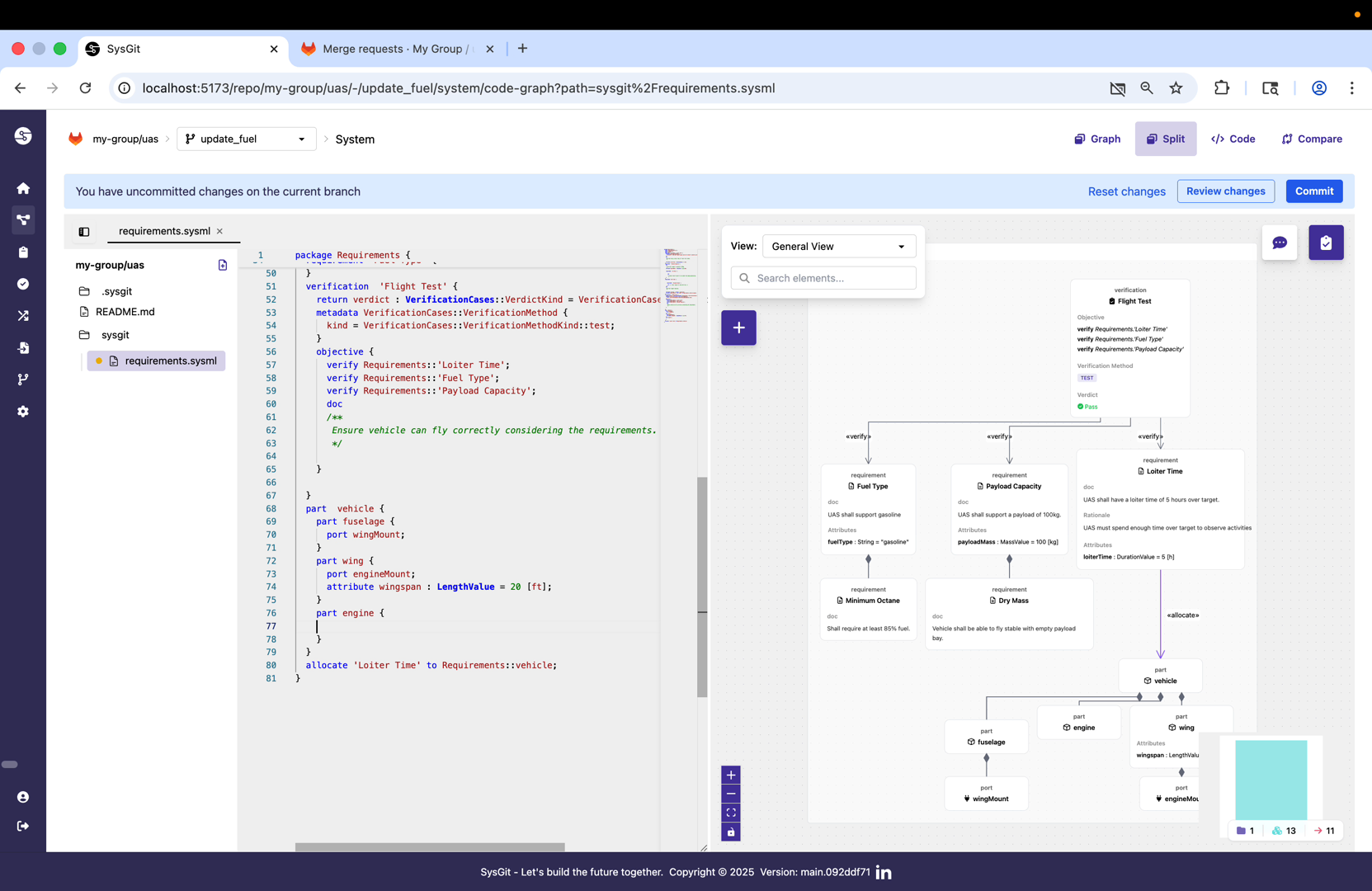
A new part usage named "fuel-tank" is added to the engine part definition. This represents the physical fuel tank component within the propulsion system architecture. By making this change on the same branch as the octane requirement, the team ensures that the requirement and the implementing component are reviewed and integrated together.
Committing Changes#
Once the desired modifications are complete, they need to be committed to the feature branch. Commits in SysGit represent atomic, traceable changesets with descriptive metadata about what changed and why.
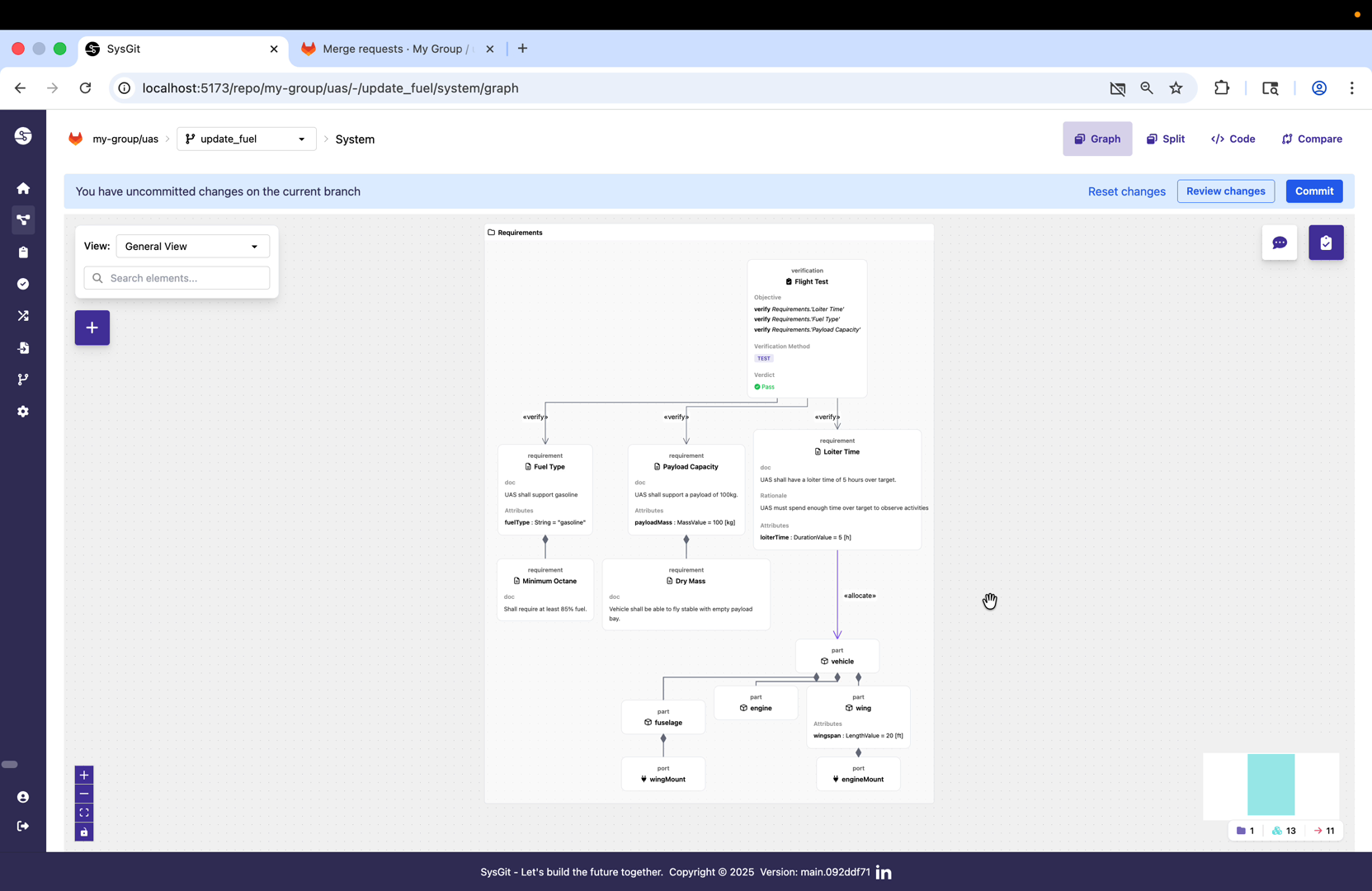
Before committing, SysGit displays a review screen showing all pending changes in the current working state. This gives the engineer a chance to verify that all intended modifications are included and no unintended changes have been made. The interface shows that a new requirement was added with its documentation text.
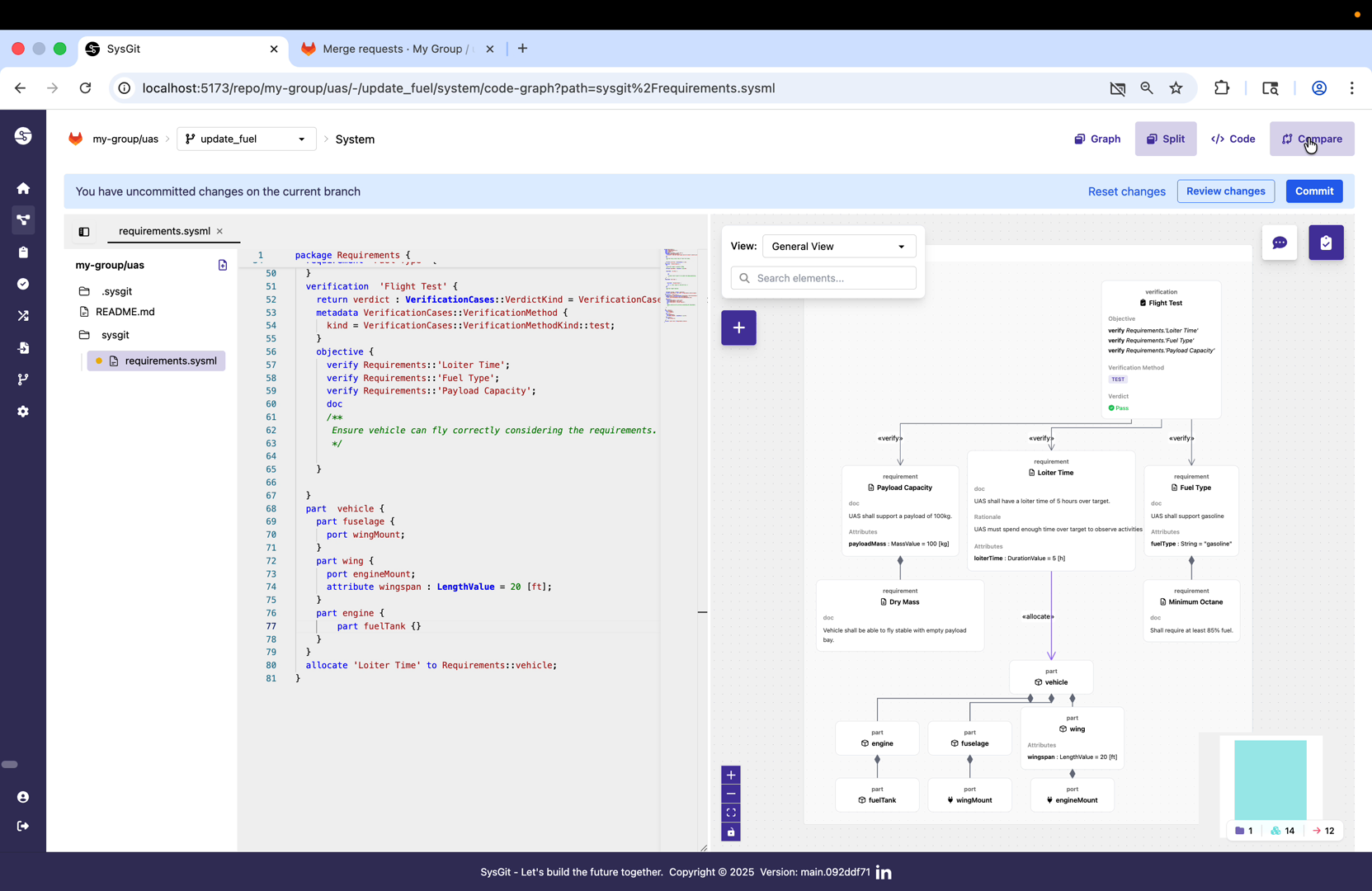
The commit interface prompts for a commit message that describes the changes. Following Git best practices, commit messages should be clear and concise, explaining what changed and why. This metadata becomes part of the permanent project history and helps reviewers and future engineers understand the evolution of the design.
Comparing Changes with Semantic Diff#
One of SysGit's key capabilities is semantic comparison of SysML v2 models. Rather than showing raw text differences, SysGit understands the structure and meaning of model elements, providing visualizations that highlight what actually changed in the system architecture.
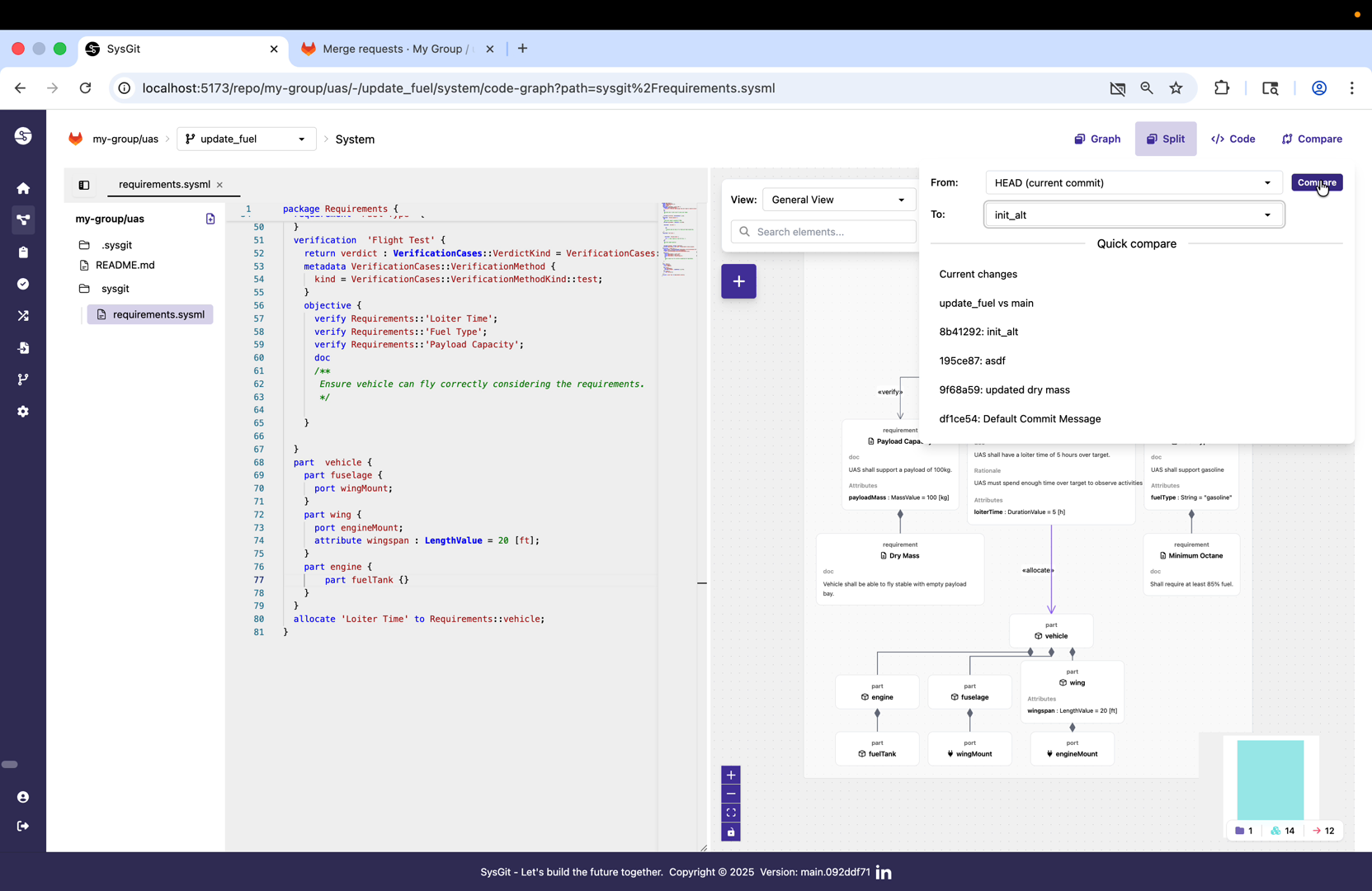
To compare changes, select the current commit and the commit to compare against (typically the branch point or the target merge branch). SysGit will analyze both commits and identify all semantic differences between them.
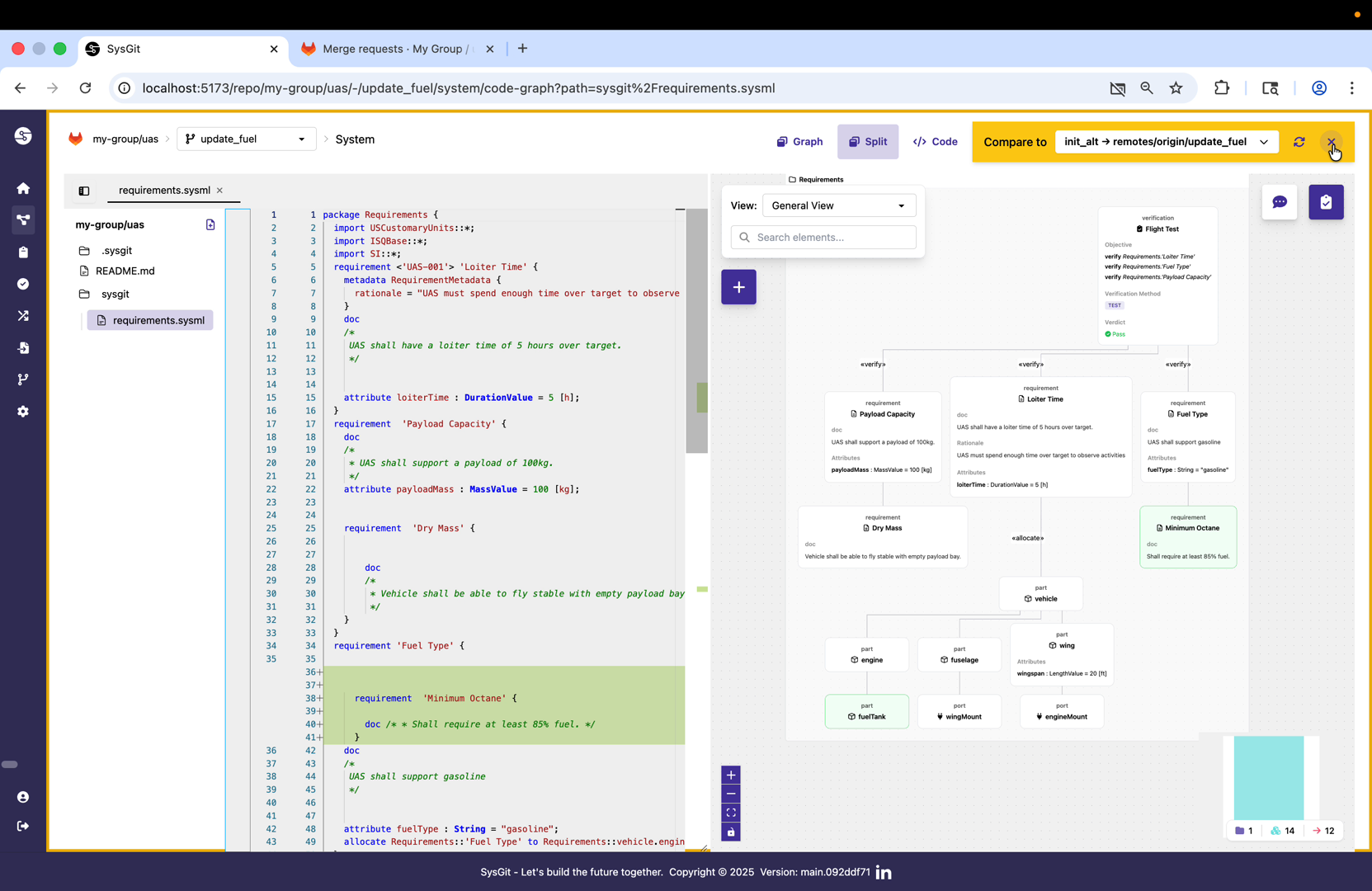
The semantic diff view displays changes at the model element level. In this comparison, the newly added "minimum-octane" requirement is clearly highlighted, showing both its position in the requirements hierarchy and its content. This semantic understanding allows reviewers to focus on the engineering implications rather than getting lost in textual syntax.
The comparison can be viewed in multiple formats—table, graph, or code—depending on what aspect of the changes the reviewer wants to examine. This flexibility supports different review workflows and stakeholder preferences.
Creating a Merge Request#
Once changes are committed and the engineer is satisfied they're ready for review, the next step is creating a merge request. This is where the design review process formally begins.
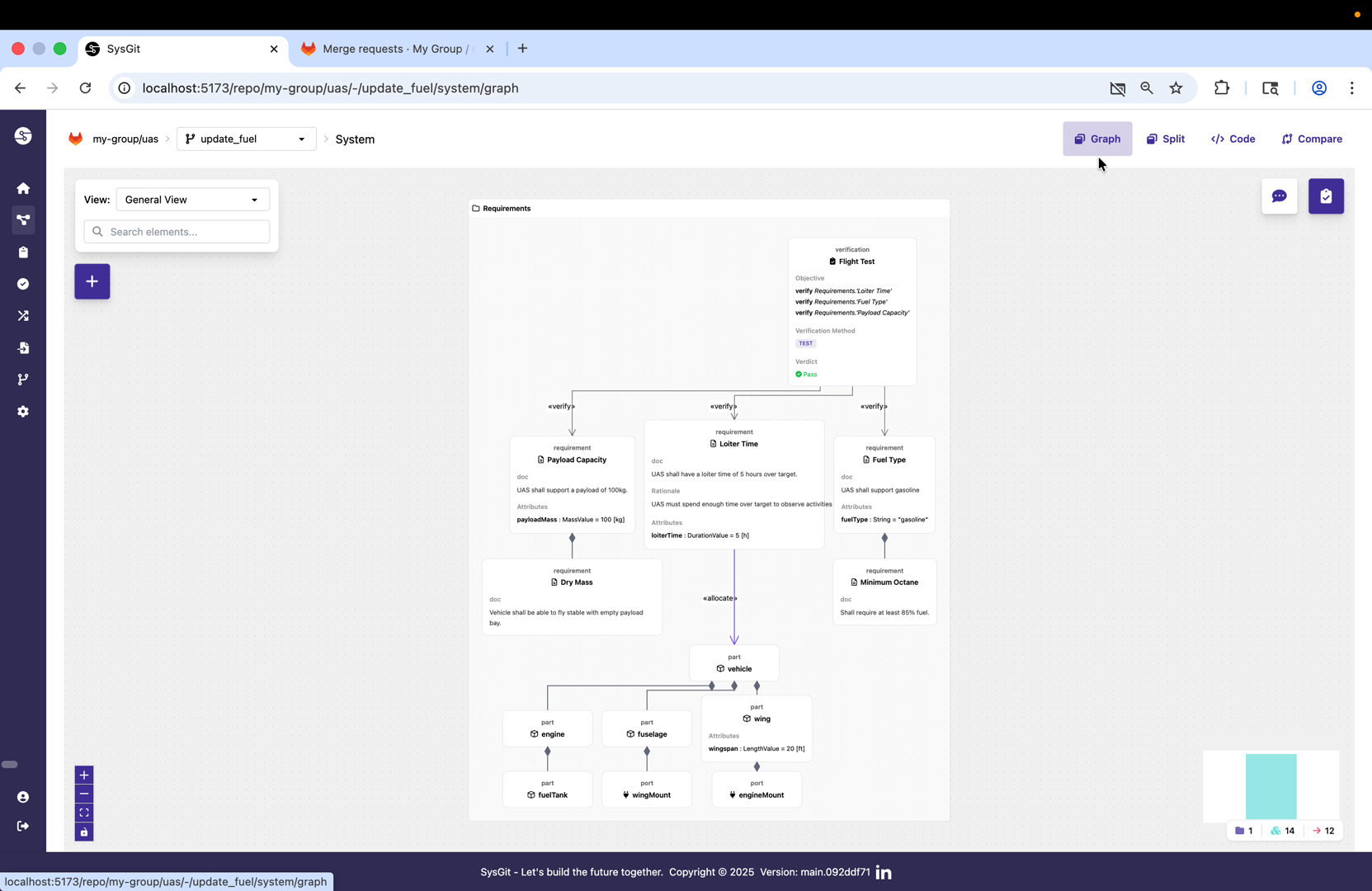
From the SysGit interface, select "Create merge request" for the feature branch. This action will create a merge request in the underlying Git provider (GitLab, GitHub, etc.) that links the feature branch back to its target branch.
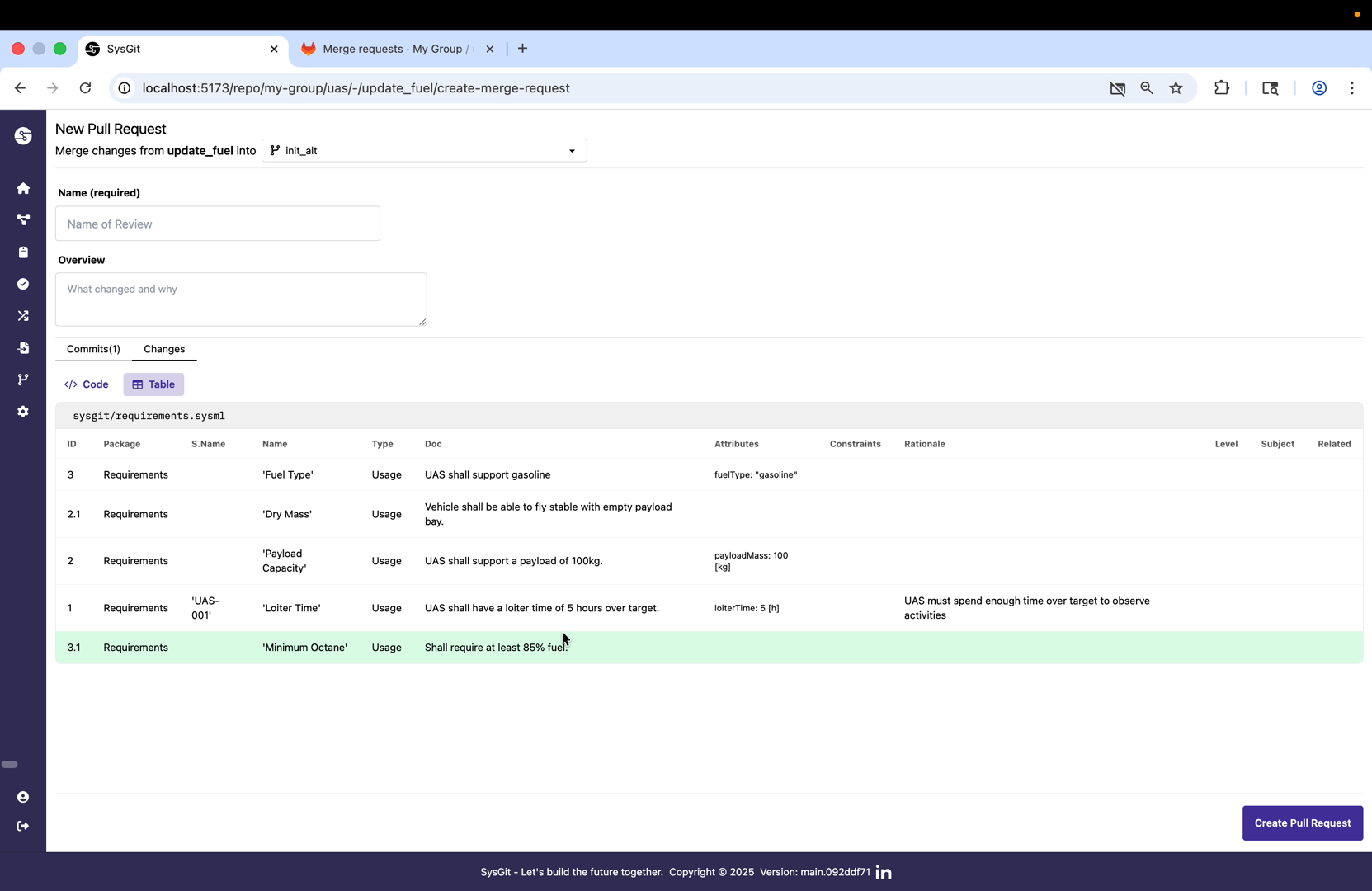
The merge request form includes fields for title, description, and metadata. The title should clearly summarize what the change accomplishes (e.g., "Update fuel system octane requirements"). The description provides additional context about why the change is needed and what specific modifications were made.
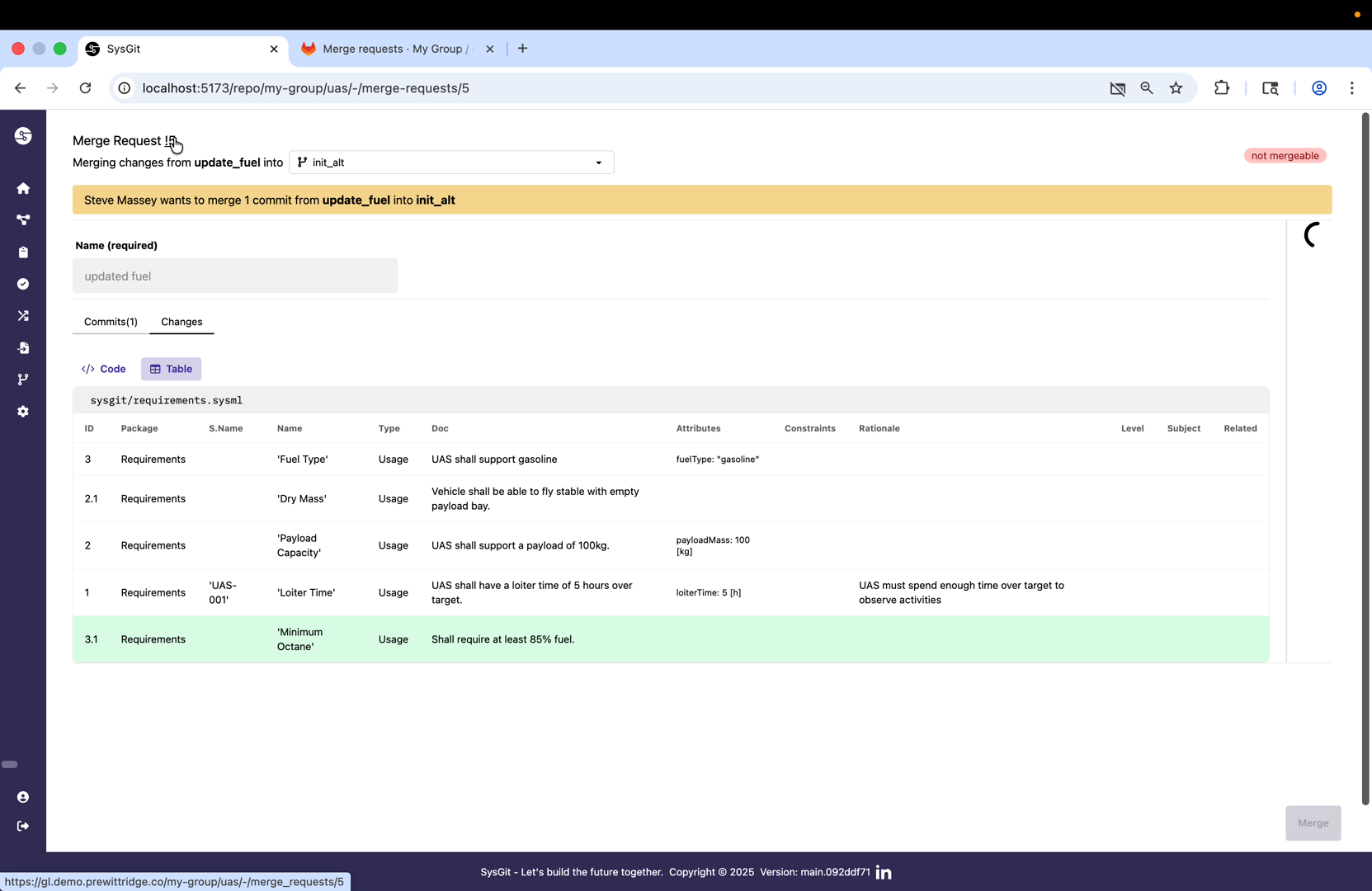
After creation, SysGit confirms the merge request was successfully created and provides a link to view it in the Git provider's native interface. The status indicator shows "Open," meaning the merge request is awaiting review and approval.
Reviewing in the Git Provider#
While SysGit provides semantic visualization capabilities, the formal review and approval workflow happens in the Git provider itself. This ensures that all organizational policies, security controls, and audit requirements are enforced consistently.
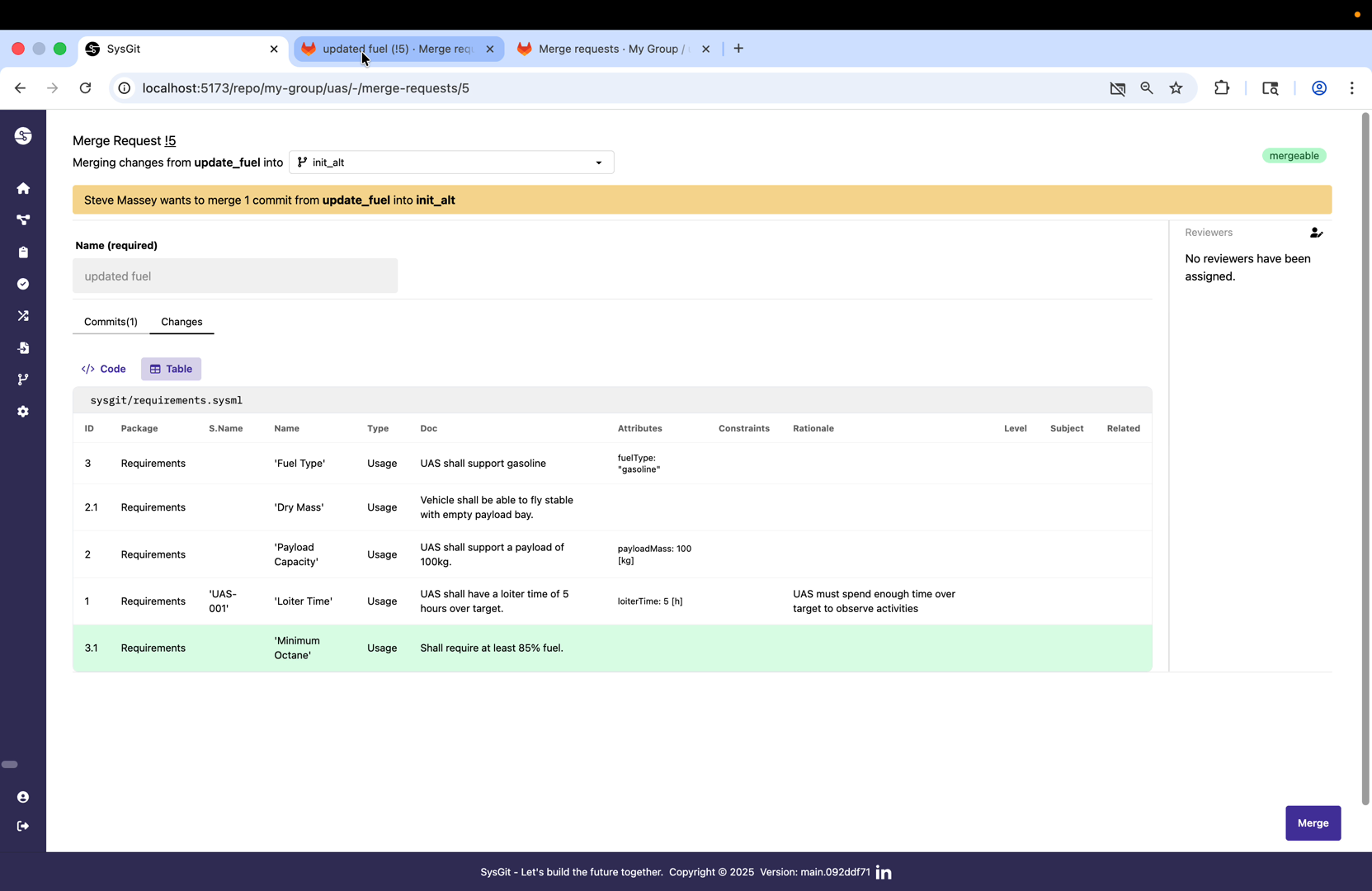
Clicking the link opens the merge request in GitLab (or GitHub, depending on your provider). Here reviewers can see all the standard merge request information: the branch comparison, commit history, changes made, and any CI/CD pipeline results.
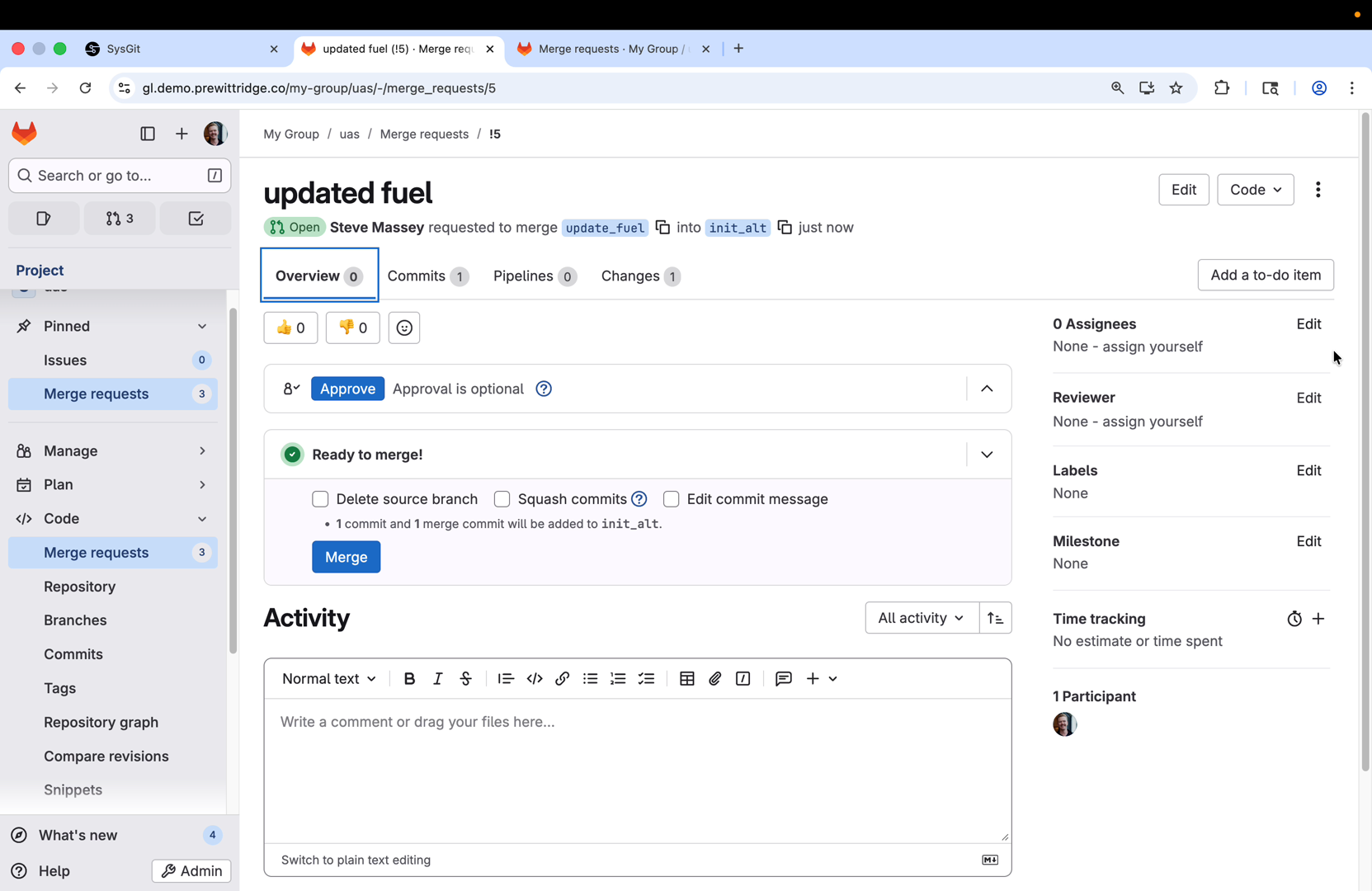
The GitLab interface displays the raw text-level changes (diff) alongside any automated checks that may have run. Organizations can configure CI/CD pipelines to automatically validate SysML v2 models for syntactic correctness, semantic consistency, or compliance with organizational modeling standards before allowing merge.
Adding Reviewers and Approval#
Formal review requires assigning appropriate reviewers based on the scope and impact of the changes. The Git provider's built-in reviewer assignment ensures proper oversight and maintains compliance with organizational review policies.
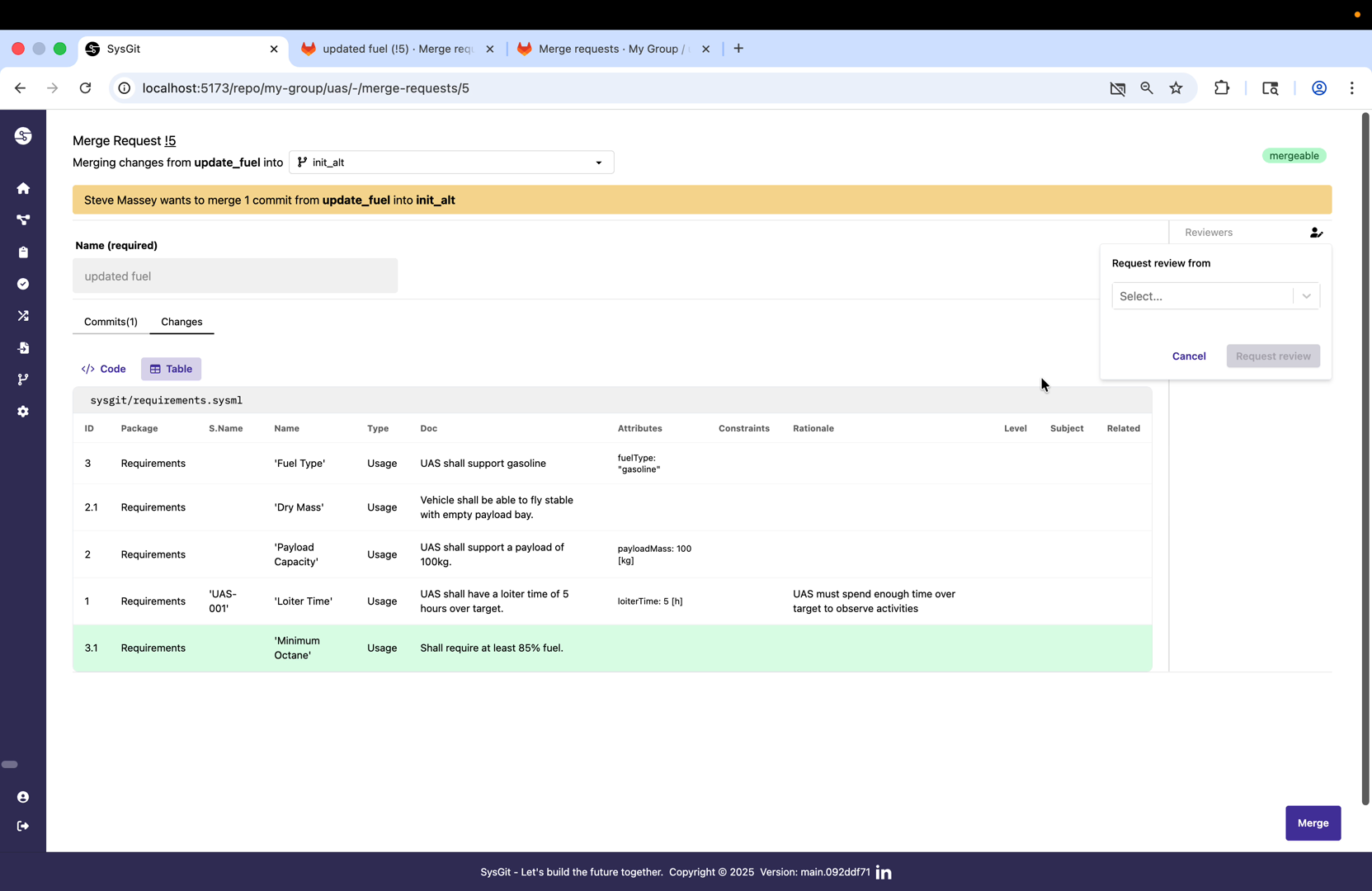
In the reviewer section of the merge request, select the engineers or stakeholders who should review the changes. Organizations typically configure approval rules that require a minimum number of reviewers or specific roles (like lead systems engineer) to approve before merging.
For demonstration purposes, the merge request is self-approved here, but in production workflows, approval would require review from designated team members who verify the technical accuracy and appropriateness of the changes.
Merging Approved Changes#
Once all reviews are complete, automated checks pass, and required approvals are obtained, the merge request can be merged back into the target branch. This integrates the feature branch changes into the baseline.
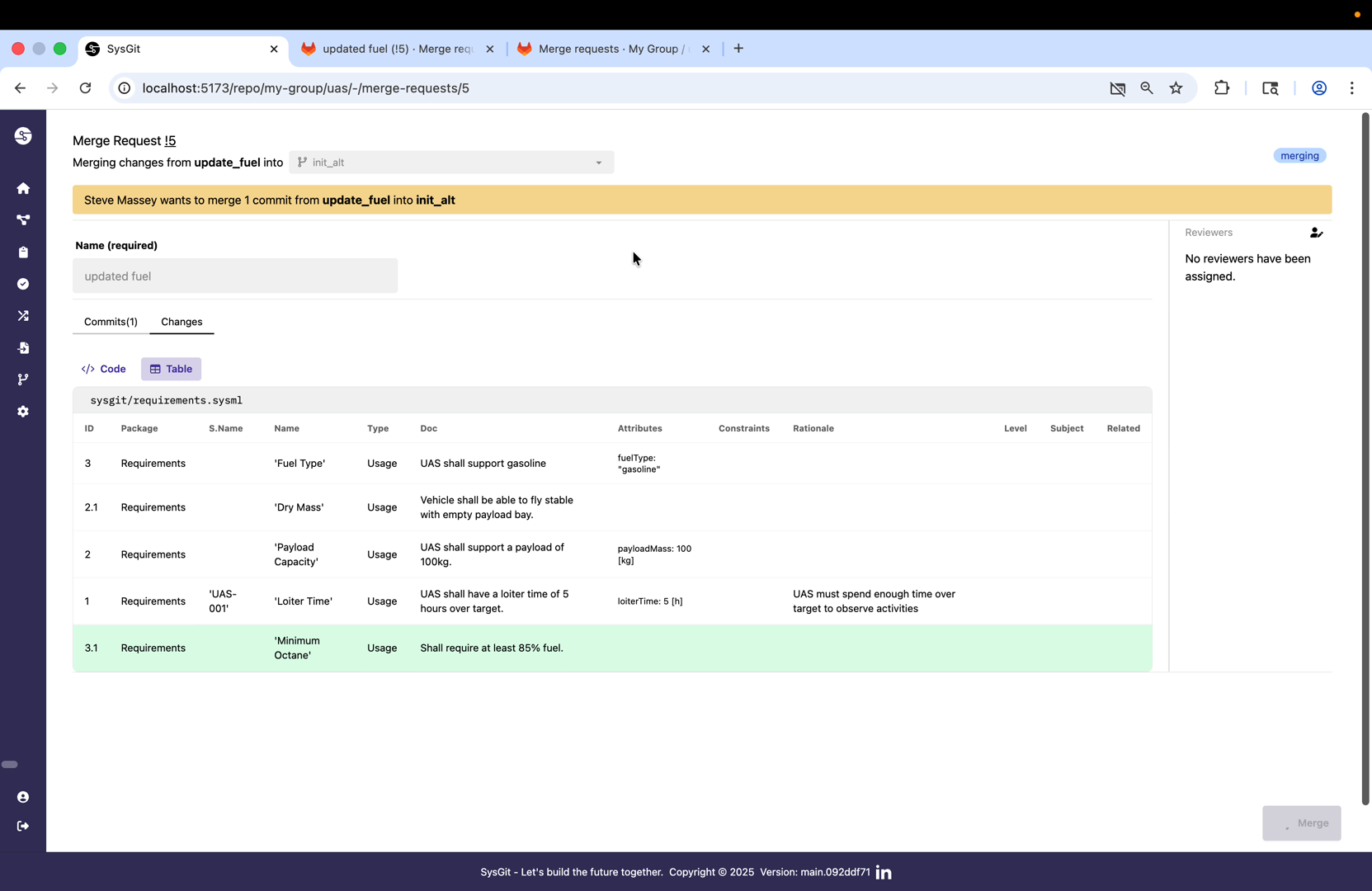
The merge button becomes active once all approval requirements are met. Clicking merge triggers the Git provider to integrate the feature branch commits into the target branch. Depending on organizational settings, this might use merge commits, squash merging, or rebase strategies.
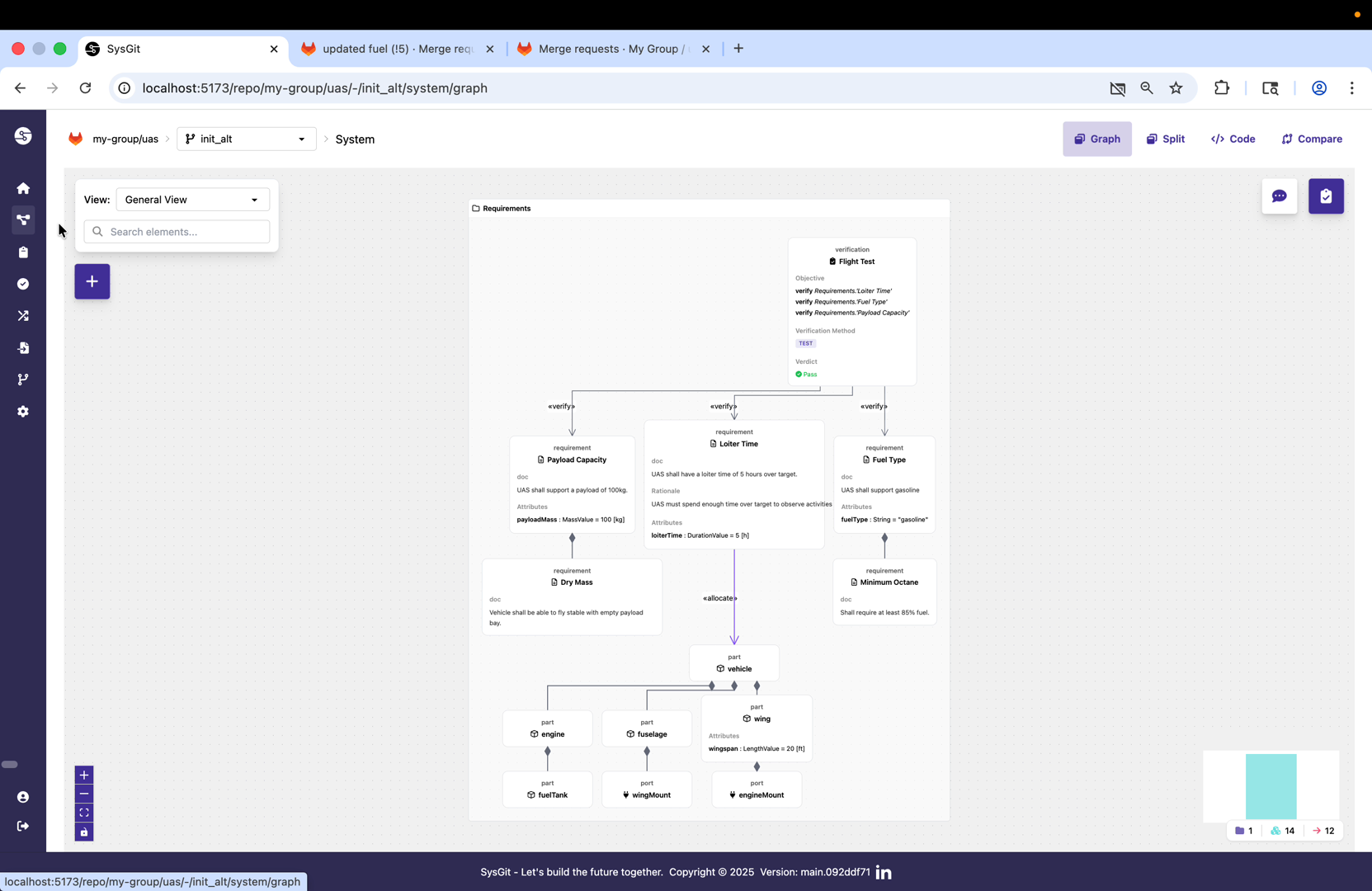
During the merge operation, Git combines the histories of both branches. If there are any conflicts (two branches modified the same model elements), Git will flag them for manual resolution. However, because this feature branch was based on a recent commit and no one else modified the same files, the merge completes cleanly.
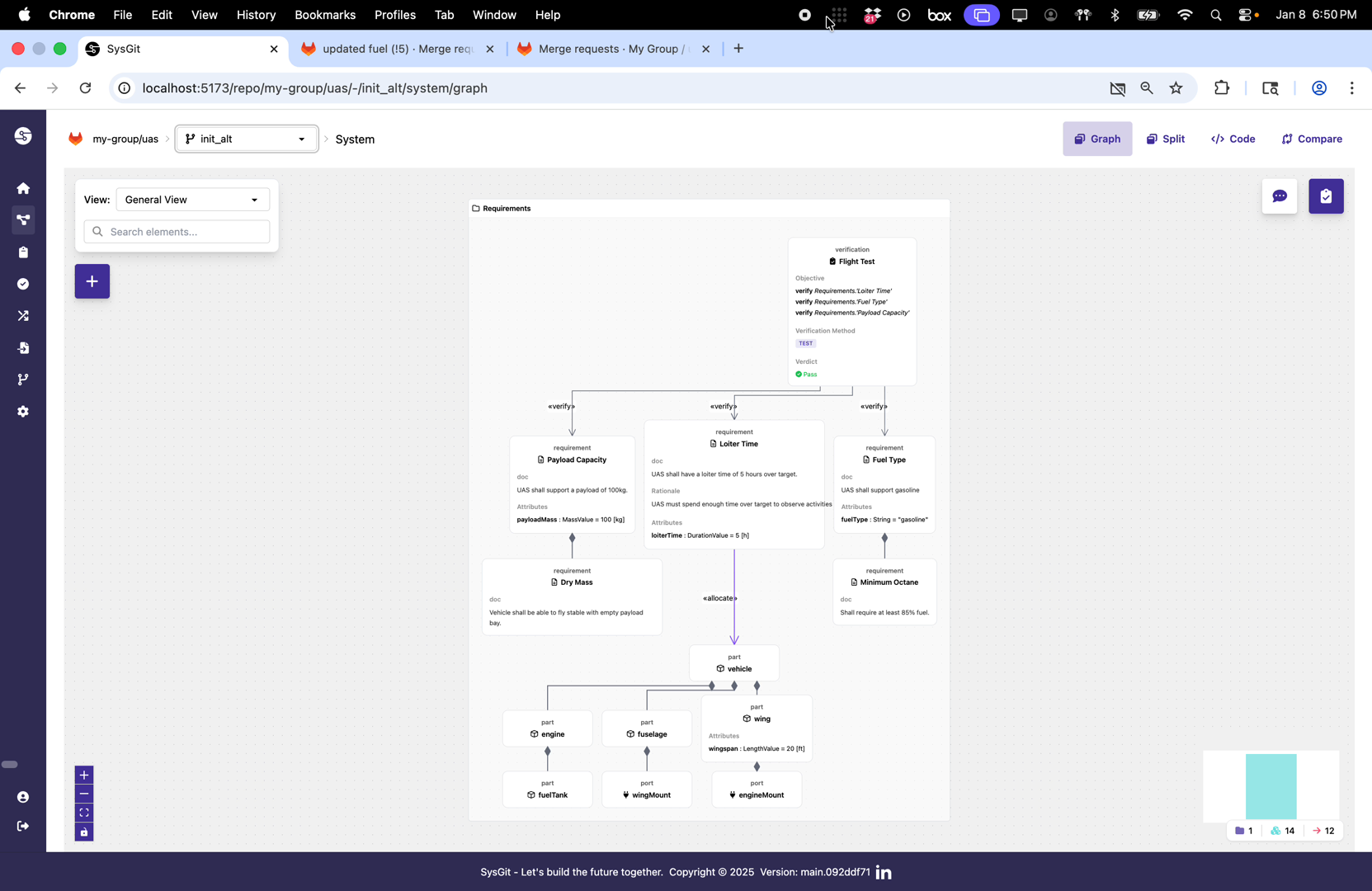
The merge request interface confirms successful integration. The feature branch changes are now part of the target branch history, and the merge request is marked as merged. All team members working on the target branch will receive these changes when they next synchronize their local branches.
Design Review Best Practices#
Successful design review workflows in SysGit depend on following established Git and systems engineering best practices:
Branch naming conventions: Use descriptive branch names that clearly indicate the purpose of the changes, such as "feature/enhanced-fuel-requirements" or "fix/propulsion-interface-consistency."
Atomic changes: Keep merge requests focused on a single logical change. If you're adding a new requirement and also restructuring the verification matrix, consider doing those in separate merge requests for easier review.
Clear commit messages: Write commit messages that explain what changed and why. Future engineers reviewing the model's history will rely on these messages to understand design decisions.
Semantic review: When reviewing changes, use SysGit's semantic diff capabilities to understand what actually changed in the model, not just what text was edited. This is especially important for complex requirements hierarchies or part structures.
CI/CD validation: Configure automated checks that validate SysML v2 syntax, enforce organizational modeling standards, and verify that changes don't break existing verifications or satisfactions.
Protected branches: Use the Git provider's branch protection features to ensure the main baseline (often called "main" or "master") can only be updated through approved merge requests, never by direct commits.
Review assignments: Establish clear policies for who must review different types of changes. Requirements changes might need customer representative approval, while architecture changes might need chief engineer review.
Integration with Organizational Processes#
SysGit's design review workflow inherits and extends the capabilities of your Git provider, which means it integrates naturally with existing organizational processes:
Access control: Engineers can only create merge requests for branches they have write access to, and can only merge to branches where they have maintainer permissions.
Audit trails: Every commit, review comment, and approval is permanently recorded in the Git history, providing the complete audit trail required for certification programs.
CI/CD pipelines: Merge requests can automatically trigger test suites, model validation, or even hardware-in-the-loop verification before allowing merge.
Issue tracking: Merge requests can be linked to issues in your issue tracker (GitLab Issues, GitHub Issues, Jira, etc.), maintaining traceability between requirements, design decisions, and implementation work.
Notifications: Team members can configure notifications for merge requests in their areas of responsibility, ensuring they stay informed without constant manual checking.
This integrated approach means that organizations don't need to adopt new tools or processes specifically for SysGit—they can extend their existing Git-based workflows to encompass system models alongside source code, documentation, and test artifacts.